
Welcome to Greasy Fork, a site for user scripts.
What are user scripts?
User scripts put you in control of your browsing experience. Once installed, they automatically make the sites you visit better by adding features, making them easier to use, or taking out the annoying bits. The user scripts on Greasy Fork were written by other users and posted to share with the world. They're free to install and easy to use.
Step 1: install a user script manager
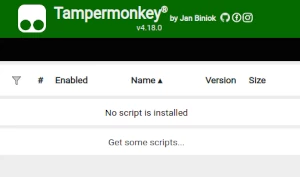
To use user scripts you need to first install a user script manager. Which user script manager you can use depends on which browser you use.
Desktop Mobile (Android) Mobile (iOS)
- Chrome: Tampermonkey
- Firefox: Greasemonkey, Tampermonkey, or Violentmonkey
- Safari: Tampermonkey or Userscripts
- Microsoft Edge: Tampermonkey
- Opera: Tampermonkey or Violentmonkey
- Maxthon: Violentmonkey
- AdGuard: (no additional software required)
- Firefox: Greasemonkey, Tampermonkey, or Violentmonkey
- Microsoft Edge: Tampermonkey
- Maxthon: Violentmonkey
- Dolphin: Tampermonkey
- UC: Tampermonkey
- XBrowser
- Safari: Tampermonkey or Userscripts
- Gear: (no additional software required)
- Teak: (no additional software required)
Step 2: install a user script
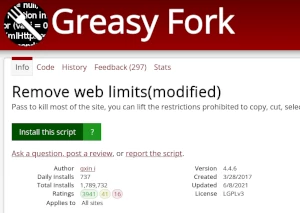
Browse this site to find a user script you want to try. Here is a sample of the most popular scripts:
- Maximize Video - Maximize all video players.Support Piture-in-picture.
- BaiduNetDisk for generating links and saving files. - BaiduPan for generating links and saving files.
- VK Blur Remover - Removes blur, overlays, and auto-play restrictions on VK videos, while preserving thumbnails.
- Kahoot cheats MOD MENU - Hey guys this is an update old update mod menu for kahoot enter the quiz I'd NOT GAME PIN what should I make next?
- 智谱 GLM Coding 特惠订购抢购助手 - 用于在前端代码中去除按钮的disabled属性,使其在界面上显示为可点击状态。这仅影响前端表现,不改变后端逻辑(脚本只是辅助,重点是教程)。modifying the front-end code to remove the `disabled` attribute from the purchase button(the script is merely auxiliary; the focus is on the tutorial)
Once you've found a user script, click the green install button on the user script's page, and your user script manager will ask you to confirm the install.
Step 3: use the user script
Go to the site the user script affects. It should automatically do its thing. After trying out the user script for a while, go back to where you installed the user script and leave some feedback for the user script's author.